Time Tracker — role-scoped timesheets & approvals
An internal platform that replaced a spreadsheet-and-email approval chain with three role-scoped interfaces on a single async FastAPI service — with authorization, conflict detection and an audit trail built in rather than bolted on.
01
At a glance
02
The problem
Time was tracked in spreadsheets, submitted by email, approved by reply, and reconciled by hand at month end. Every step was survivable on its own; together they produced a predictable set of failures — entries submitted against closed periods, approvals lost in inboxes, overlapping entries nobody caught until invoicing, and no reliable answer to "who approved this, and when?"
In a clinical-services context that last question is not a nice-to-have. The system had to be able to reconstruct who changed what, when, and under whose authority, months later.
03
Constraints I designed against
- Three audiences, one truth. Developers, managers and admins need different screens over the same records — without three divergent implementations.
- Auditability. Every state transition needs an immutable record: actor, timestamp, before/after.
- Org chart changes constantly. Approval routing must follow hierarchy data, not hardcoded reporting lines.
- Adoption is the real risk. If entering time is slower than the spreadsheet, people quietly keep using the spreadsheet.
04
Architecture
Interfaces role-scoped
Developer — entry & submit
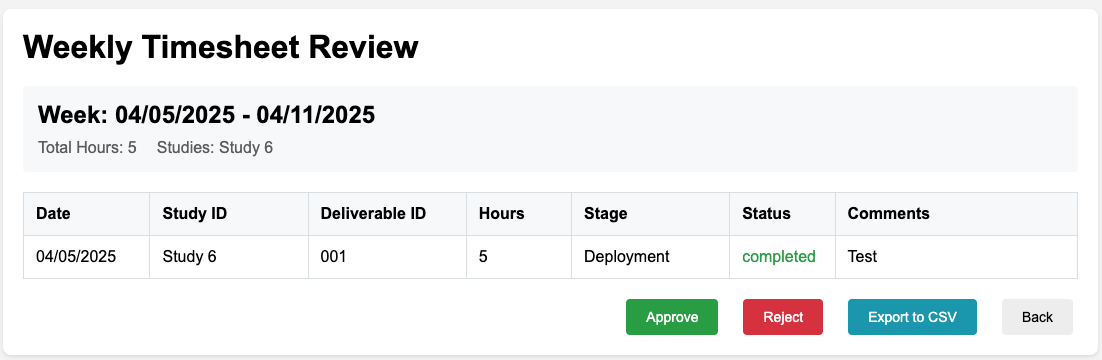
Manager — queue & approve
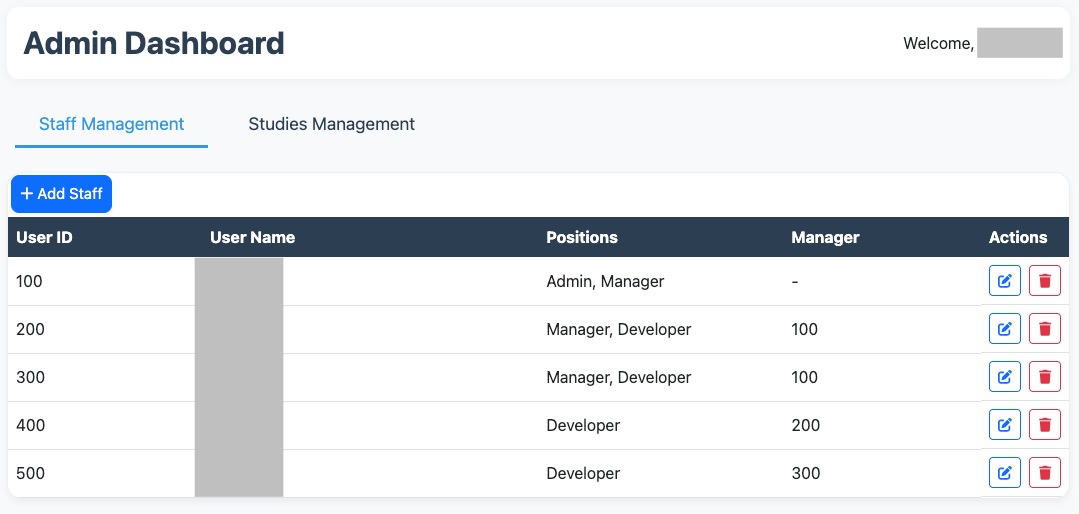
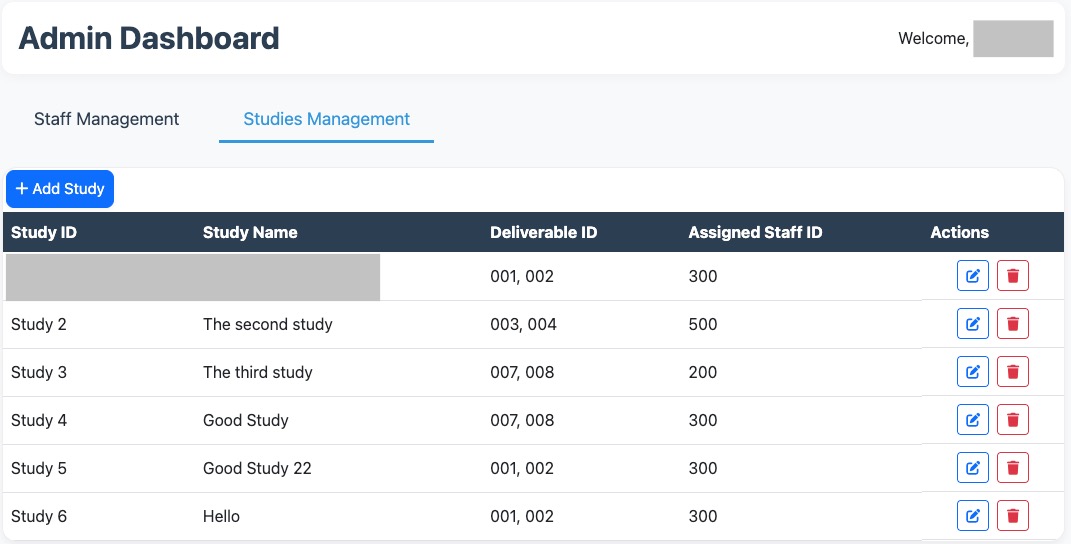
Admin — config & reports
API async FastAPI
OAuth2 + JWT
→
RBAC dependency
→
Pydantic contracts
Service layer
Workflow rules engine
Routing by hierarchy
Conflict detection
Notifications & escalation
Deadline enforcement
Data PostgreSQL
SQLAlchemy models
Append-only audit log
Report / CSV export
Delivery Azure
Docker
CI/CD pipeline
Health checks
Application Insights
Highlighted nodes are the parts that took the most design iteration.
05
Decisions & trade-offs
Authorization as a dependency, not a decorator soup
Decision
Role and scope checks are FastAPI dependencies that resolve the caller's permissions once and inject a scoped context every handler must go through.
Why
Route-level checks drift. Making the scoped context the only way to reach data means a new endpoint inherits the rules instead of re-implementing them.
Trade-off
More indirection to read on first contact, and the dependency graph has to be kept shallow or testing gets painful.
Approval routing from hierarchy data
Decision
The workflow engine derives approval chains from organizational data at runtime rather than from configuration checked into code.
Why
Reorgs happen more often than releases. A reporting-line change should not require a deploy.
Trade-off
Bad hierarchy data becomes a production incident. Mitigated with cycle detection and an explicit fallback approver.
Append-only audit log
Decision
Every state change writes an immutable event — actor, timestamp, transition — separate from the mutable record.
Why
"Reconstruct what happened in March" is a real request in a regulated environment. Reading history off a mutable table is guesswork.
Trade-off
Storage grows monotonically and reports have to be written against two shapes of data. Worth it the first time an auditor asks.
Async FastAPI over a sync framework
Decision
Async request handling with Pydantic contracts and OpenAPI generated from the code.
Why
The workload is I/O-bound — database, mail, external calls — and generated API docs meant the frontends and the backend never disagreed about a payload shape.
Trade-off
Async discipline everywhere: one blocking call in a handler stalls the loop, which is exactly the kind of bug that only shows up under load.
06
Interfaces
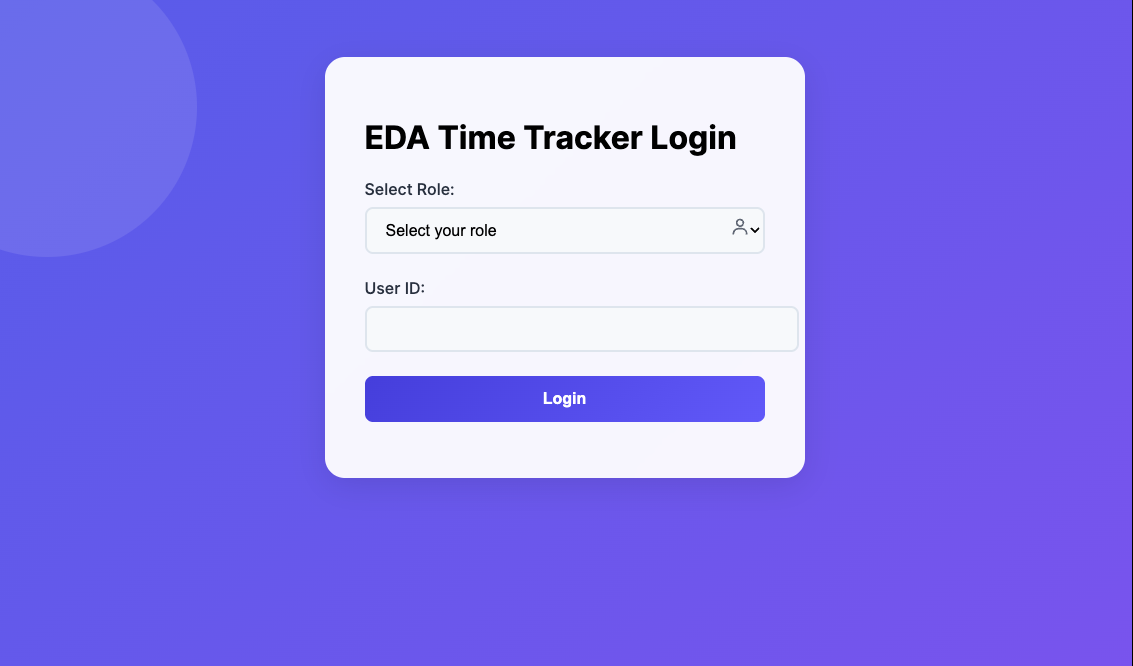
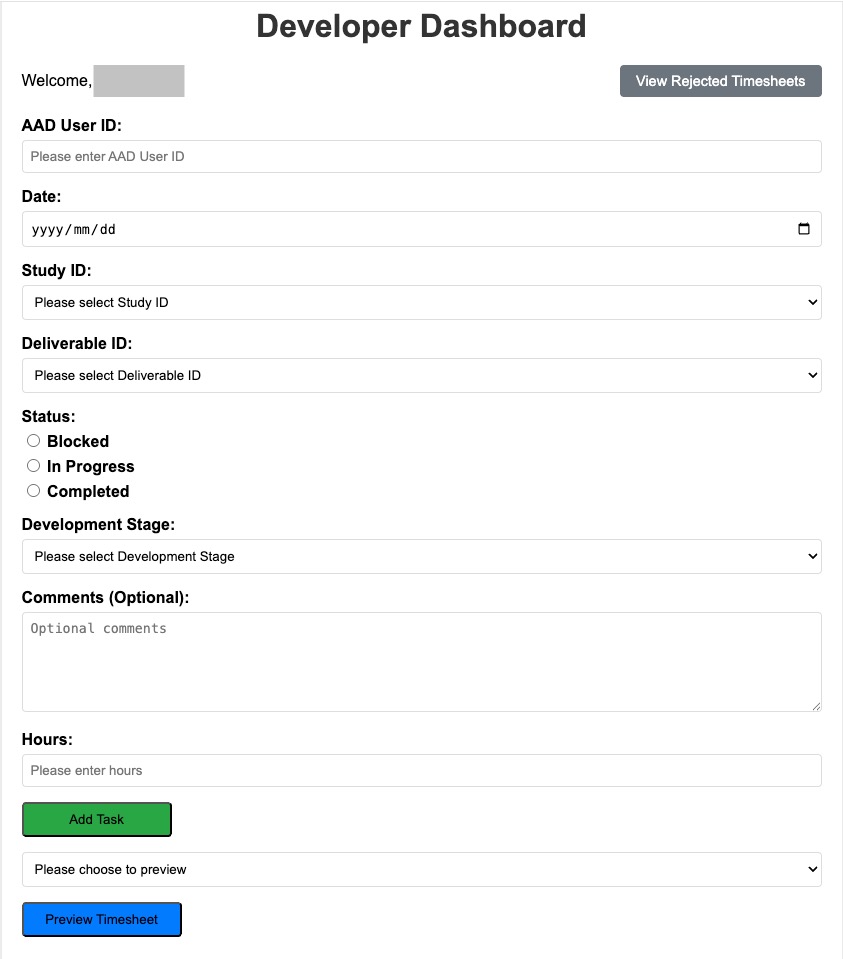
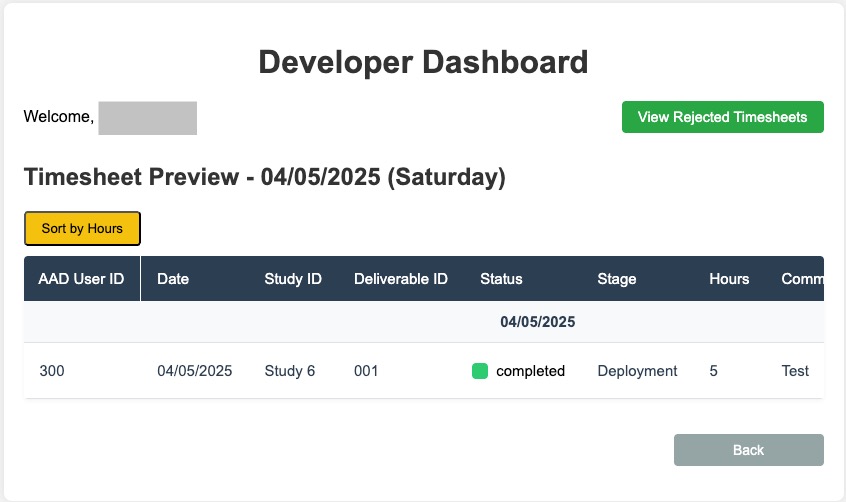
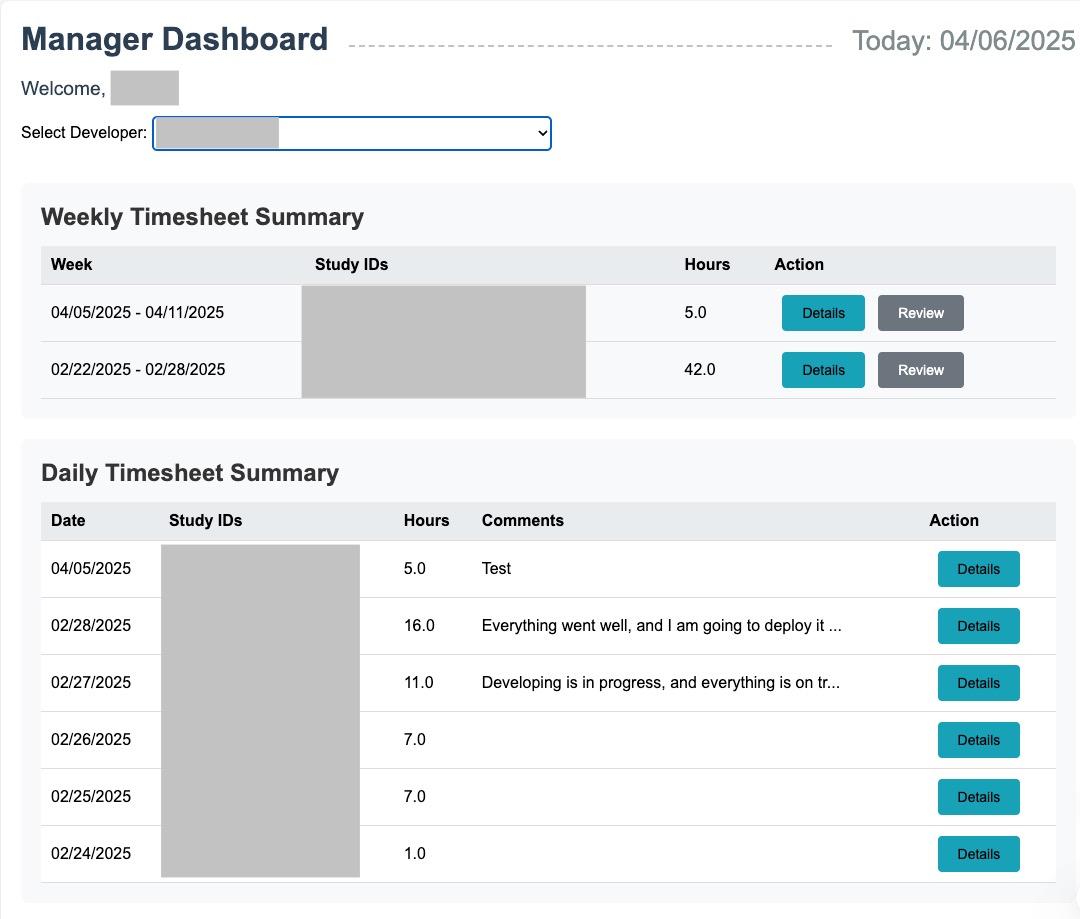
07
Where it landed
- Approval turnaround down 60% and administrative errors down 75% once submission, routing and conflict detection stopped being manual steps.
- Roughly 20 hours of manual work removed per week across the organization.
- 92% satisfaction in post-implementation surveys across all three roles.
- ~15% better resource allocation, driven by reports that were previously assembled by hand at month end.
- Audit-grade history — every approval reconstructable from the event log, without archaeology.
08
What I'd do differently
Model the workflow as an explicit state machine from day one. The rules grew organically and ended up spread across the service layer. A declared set of states and legal transitions would have made conflict detection and escalation fall out of the model instead of being written twice.
Ship the reporting layer earlier. Reporting was scheduled last, but it was the feature that convinced managers the system was worth the switch. Adoption evidence arrives late when the persuasive feature ships late.
Load-test the async paths before the pilot, not after. The bugs that matter in an async service appear under concurrency, and a pilot group is too small to surface them.