Cold Call System
Educational tool that helps professors randomly select students to answer questions, allowing "on-deck" students to prepare responses.
Project Overview
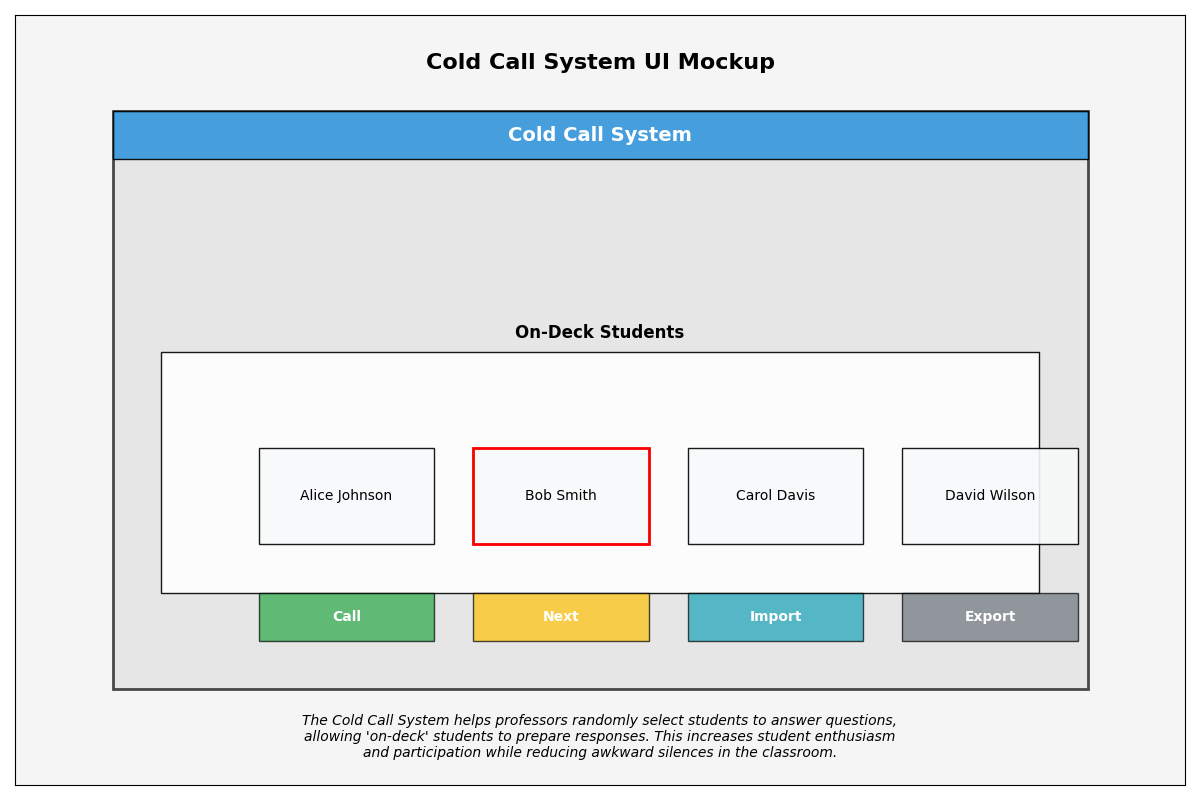
The Cold Call System is an educational technology application designed to improve classroom engagement and participation. The system addresses the awkward silence that often follows when professors ask questions to a classroom by implementing a structured approach to student participation.
This innovative tool randomly selects students from the class roster and displays them as "on-deck," giving these students advance notice that they may be called upon to answer a question. This advance warning allows students to prepare their thoughts and reduces anxiety, encouraging more thoughtful participation and creating a more dynamic learning environment.
Technologies Used:
Key Features
On-Deck Student Display
Shows a queue of four students who are next in line to be called upon, providing them with advance notice to prepare their responses.
Smart Random Selection
Implements an algorithm that ensures fair distribution of participation, preventing the same students from being called repeatedly while maintaining an element of randomness.
Class Roster Import
Easy import of class rosters from CSV files, making setup simple and allowing for quick updates when class composition changes.
Participation Tracking
Records and displays student participation metrics, helping instructors ensure balanced engagement across the entire class throughout the term.
Project Workflow
Problem Identification & Research
The project began with identifying a common challenge in classroom settings - the reluctance of students to participate in discussions and answer questions. Research was conducted with professors and students to understand the dynamics of classroom participation, the barriers to student engagement, and potential solutions. The "on-deck" approach was identified as a promising method to increase participation while reducing student anxiety.
System Design & Requirements
Based on the initial research, detailed system requirements were defined in collaboration with education professionals. The design phase focused on creating an intuitive interface that would be easy for professors to use in real-time during lectures. Key functional requirements included random student selection, display of multiple on-deck students, import/export capabilities, and participation tracking.
Development & Implementation
The system was implemented using Python with Tkinter for the graphical user interface. A modular, object-oriented approach was used to ensure maintainability and extensibility. The random selection algorithm was carefully designed to balance true randomness with fair distribution of participation. Data persistence was implemented using SQLite, allowing participation data to be stored between sessions.
Testing & Validation
Rigorous testing was performed to ensure the system's reliability and usability. Unit tests were developed for core functions, particularly the selection algorithm. Usability testing was conducted with professors in simulated classroom environments to refine the interface and workflow. Performance testing ensured the system could handle large class rosters efficiently.
Pilot Implementation
The system was piloted in selected classrooms to gather real-world feedback. During this phase, professors used the tool in actual lectures and provided detailed feedback on its effectiveness and areas for improvement. Student feedback was also collected to understand how the on-deck approach affected their preparation and participation.
Refinement & Enhancement
Based on feedback from the pilot implementation, the system was refined and enhanced. User interface improvements were made to increase usability during lectures. Additional features were added, such as expanded statistics on student participation and customizable selection parameters. Performance optimizations were implemented for larger class sizes.
Documentation & Training
Comprehensive documentation was created for both users and developers. User guides include installation instructions, feature tutorials, and best practices for incorporating the system into teaching methodologies. Technical documentation covers the system architecture, code organization, and guidelines for future development and extension.